Your backups on the Mac
- BACKUP SAVE ALL in SPD-SX PRO APP, or the backup folder from the USB flash drive
- Full backups with their samples, or kit exports
GUIDE · COMPARE
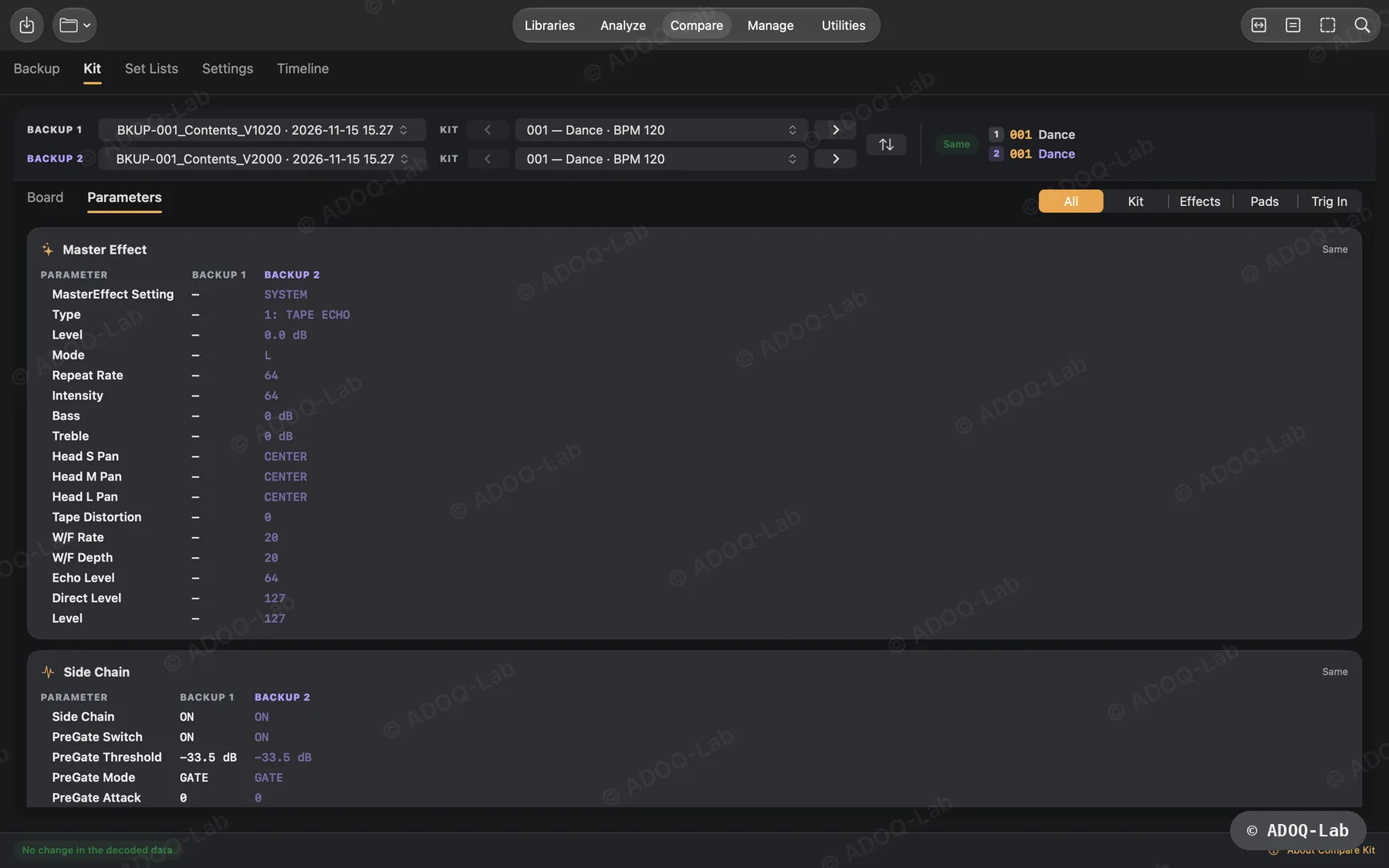
A backup from last night’s show, one from today’s soundcheck, and a sound that isn’t the same. SX Pro Companion shows which kits changed and what changed in each, on your Mac, without the instrument.
01 / WHY
The Roland SPD-SX PRO APP covers most of what SPD-SX PRO users need, and covers it very well: backing up, loading, importing waves and editing kits with the instrument connected, so you hear what you change. I use it every day on tour, and SX Pro Companion doesn’t redo any of it. It only adds a few functions for jobs that were long or tedious with the official method.
This is one of those jobs. The SPD-SX PRO keeps every edit as soon as it is made, so a tempo nudged at rehearsal stays in the kit. To find what changed between two backups, I had to open the kits one by one and compare them by eye.
02 / HOW
03 / WHAT
04 / WHEN
Before a show: check that the backup you are about to load is the approved one.
After a rehearsal or a dep drummer: see what was changed, then keep it or go back.
A main and a spare SPD-SX PRO: make sure both hold the same kits and settings.
MORE
TRADEMARK NOTICE
Roland, SPD-SX PRO and SPD-SX PRO APP are trademarks or registered trademarks of Roland Corporation. SX Pro Companion is independently developed and is not affiliated with, endorsed by, or sponsored by Roland Corporation.