GUIDE · MANAGE

Swap, import and rearrange SPD-SX PRO kits

A new show often means moving a lot of kits around. The SPD-SX PRO copies and exchanges kits one at a time, on the instrument. SX Pro Companion rearranges a whole backup on the Mac, on a copy.

01 / WHY

Adding to Roland’s app

The Roland SPD-SX PRO APP covers most of what SPD-SX PRO users need, and covers it very well: backing up, loading, importing waves and editing kits with the instrument connected, so you hear what you change. I use it every day on tour, and SX Pro Companion doesn’t redo any of it. It only adds a few functions for jobs that were long or tedious with the official method.

This is one of those jobs. Building a show from the kits of several old backups, or setting the same pad outputs on twenty kits, meant going kit by kit with the instrument in front of me.

02 / KITS

Organize and import

MANAGE · KITS

Move kits around

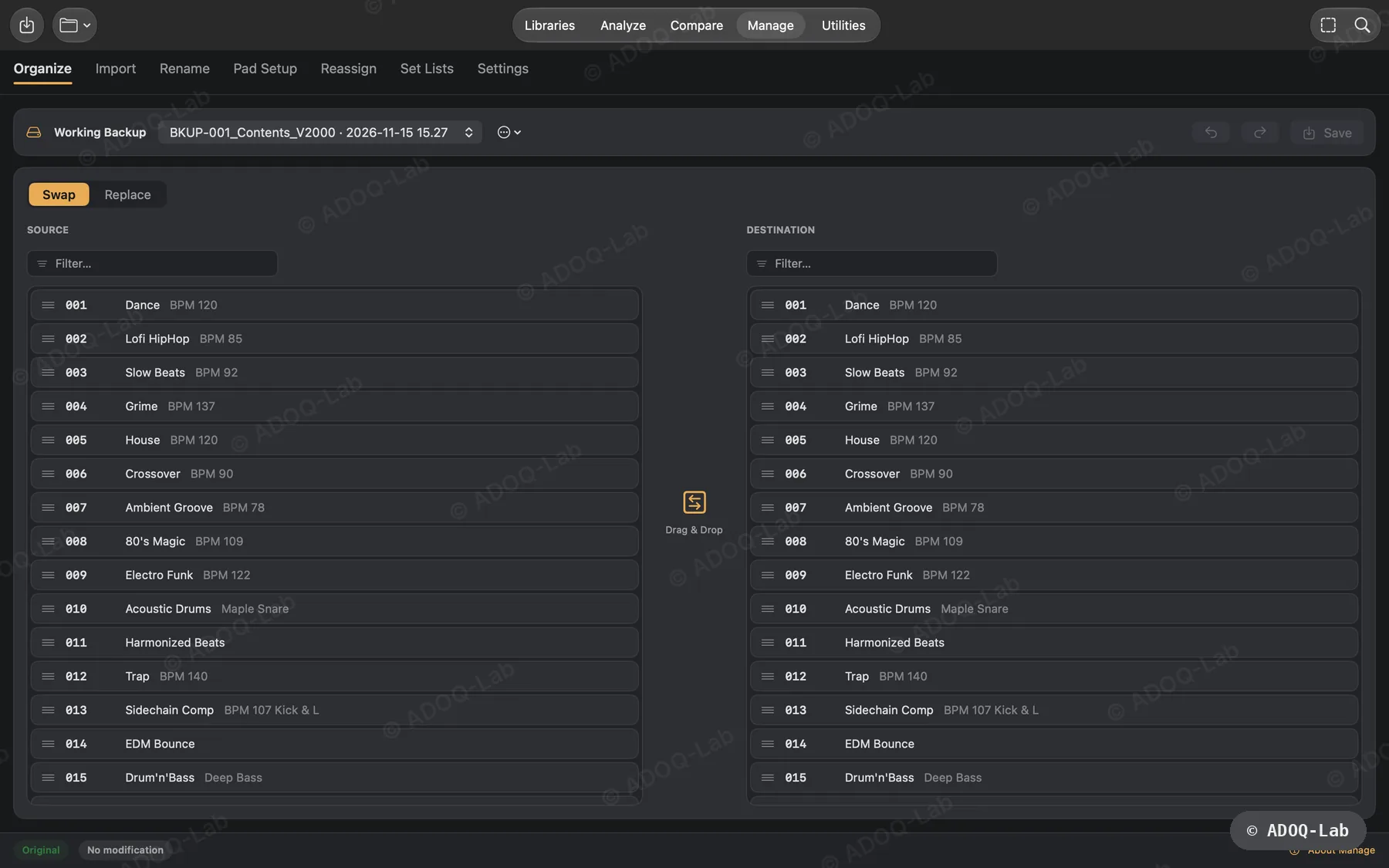
  • Swap and Replace by drag and drop, one kit or several
  • Import kits from another backup: their samples come along, a sample already present is reused
  • A kit saved by the other firmware (1.20 or 2.00) is converted
  • Rename several kits at once
  • Reassign: trigger inputs onto pads or the reverse, or clear the samples of the pads or of the inputs
MANAGE · SETUP

Several kits at once

  • Pad Setup: LED colours, outputs, pad links, mute groups and MIDI notes, applied to every kit selected
  • Set Lists: swap, replace, reorder steps
  • Settings: every system setting, or MIDI, audio output and trigger settings copied from another backup
SX Pro Companion Manage: swapping Roland SPD-SX PRO kits by drag and drop

03 / SAFETY

The original stays untouched

Changes are made on a copy of the backup, never on the one the instrument saved. Undo and Redo work one action at a time, and Reset cancels everything since the last save.

Save writes the copy into the library. SPD-SX PRO APP then sends it to the instrument — SX Pro Companion never writes to it. Test the backup on the instrument before relying on it on stage.

MORE

Other guides

TRADEMARK NOTICE

Independent development