At a glance, then in detail
- Backup: kits used, layers, waves, imported waves, set lists, firmware
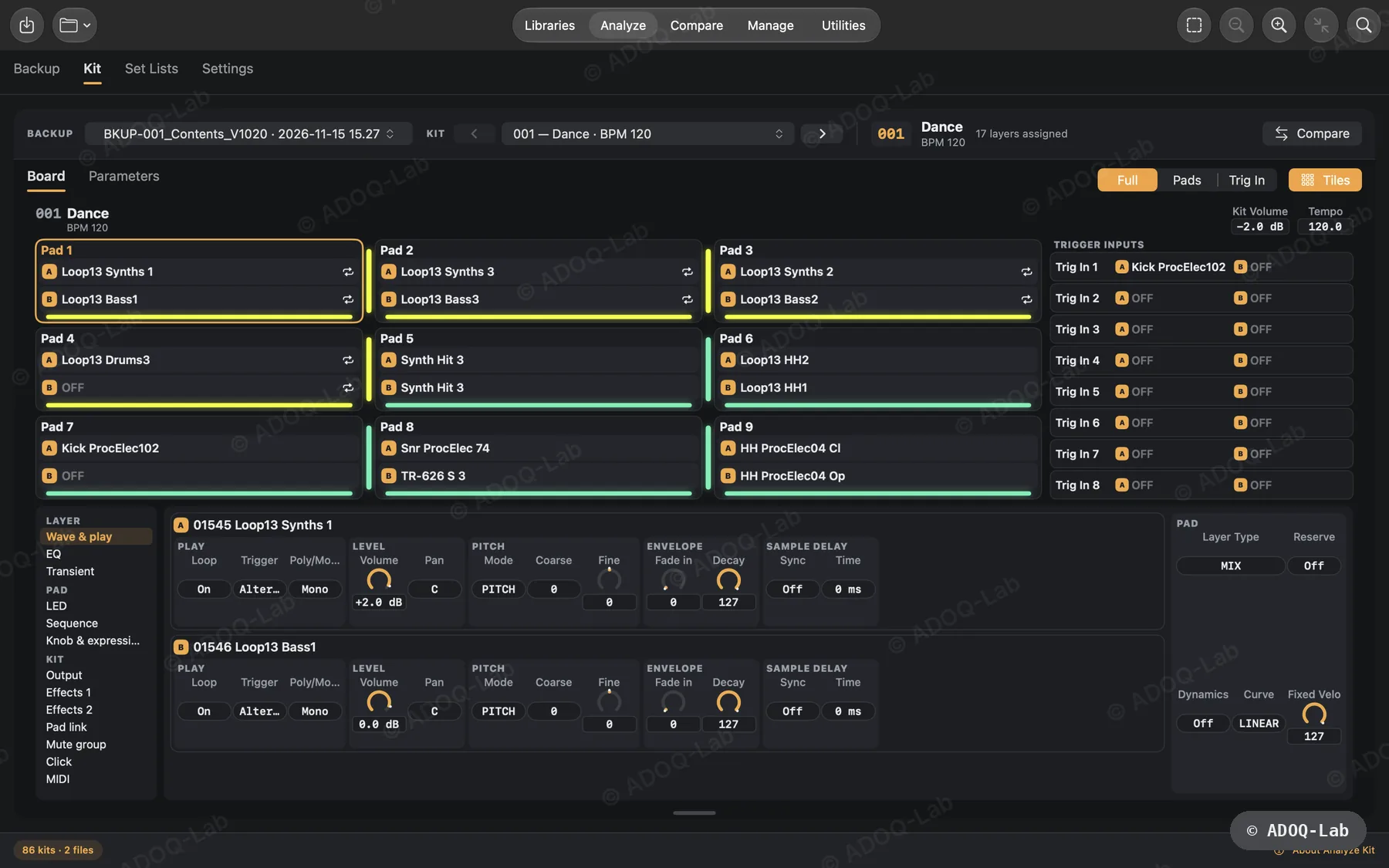
- Kit: a board like the editor — nine pads, eight trigger inputs, both layers — or every parameter in cards
GUIDE · ANALYZE
SPD-SX PRO APP works with the instrument connected, which is exactly what you want when editing sounds. When the SPD-SX PRO is in the truck or on another stage, SX Pro Companion still opens your backups on the Mac.
01 / WHY
The Roland SPD-SX PRO APP covers most of what SPD-SX PRO users need, and covers it very well: backing up, loading, importing waves and editing kits with the instrument connected, so you hear what you change. I use it every day on tour, and SX Pro Companion doesn’t redo any of it. It only adds a few functions for jobs that were long or tedious with the official method.
This is one of those jobs. To see what was inside a backup, I had to load it into an instrument first — and a full load replaces everything on it.
02 / ANALYZE
03 / OFFLINE MODE
Utilities ▸ Offline Mode plays the kits of a backup on the Mac, without the instrument, to check which samples a pad triggers and how its layers behave: both layers, layer types, volume, pan, pitch, loop, mute groups and pad links.
It is a preview of the samples, not the instrument’s exact sound: effects, EQ and envelopes are not reproduced. It is for checking a backup, not a sound module or a plug-in.
04 / WHO
Drummers preparing a set at home while the instrument is at rehearsal.
Backliners and drum techs looking after several instruments and several artists’ backups.
Rental companies checking what a returned unit was loaded with.
MORE
TRADEMARK NOTICE
Roland, SPD-SX PRO and SPD-SX PRO APP are trademarks or registered trademarks of Roland Corporation. SX Pro Companion is independently developed and is not affiliated with, endorsed by, or sponsored by Roland Corporation.